Briefing Findings · People are mainly trying
Story-specific findings extracted from this briefing's coverage. Fast Facts in the sidebar holds the canonical reference data (CEO, founded, ticker).
Discussions center on practical Docker usage and learning—handling Docker storage/compose data, sizing and best practices, and networking (e.g., giving containers their own VLAN IPs). A secondary thread focuses on entry-level deployment questions, such as running Docker without Docker and learning resources for 2026.
Also known as docker engine·docker desktop·docker compose·docker 29
Discussions center on practical Docker usage and learning—handling Docker storage/compose data, sizing and best practices, and networking (e.g., giving containers their own VLAN IPs). A secondary thread focuses on entry-level deployment questions, such as running Docker without Docker and learning resources for 2026.
Story-specific findings extracted from this briefing's coverage. Fast Facts in the sidebar holds the canonical reference data (CEO, founded, ticker).
External coverage we have crawled and indexed for this topic.
Learn how to create your own custom MCP catalog and maintain separate server collections and configurations for smooth transitions between workflows.
Learn from Docker experts to simplify and advance your app development and management with Docker. Stay up to date on Docker events and new version
Docker's defaults can result in some poor networking practices
The hypervisor I never actually needed.
Source-by-source view of what publications and communities are surfacing right now.
Tracking: How to Run Docker in Proxmox on a VM / Docker Macvlan on a VLAN: Give Containers Their Own IP
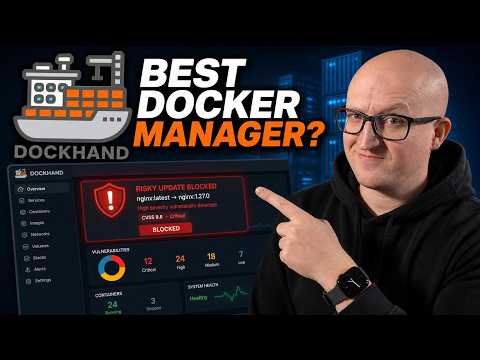
Dockhand: A Smarter, Safer Docker Manager
My Docker Containers Finally Live on the Right VLANs
A Better Way to Run Docker Apps on TrueNAS
Run AI Models with Docker - No Setup, No Headaches
How to Add Docker & Jellyfin Functionality to the UNAS Pro with a Mini PC Home Server
Host Your Own AI Code Assistant with Docker, Ollama and Continue!
Recent threads on Reddit and Hacker News that mention Docker.
I run about 6 containers on Linux Ubuntu. When I don't update the containers, the system runs more or less indefinitely. If I update any containers with: cd directory-with-compose-yaml-for-that-container/ docker compose …
What is docker updating on the deb (others) packages? they seem to have several updates per week. is it bug fixes, and development, or some sort of key/other sec variable update? thanks in advance curious user
I have some containers running for production with Docker Desktop in Windows Server 2022 (WSL2 backend), and every time the system is rebooted (because they want the system to run only when it is used, so it is shut down…
Hi there, Since I am currently doing a lot of testing with Docker in my homelab and trying to learn it on my own, I was wondering if you could recommend any business-relevant training courses or certifications. I would s…
been throwing whole numbers at it for years, turns out 0.5 or 1.5 just works fine
Common questions on Docker, surfaced from across the indexed web.
Docker macvlan gives containers their own MAC address and IP address on your physical network, eliminating the need for NAT or port mapping. It’s most useful when a container needs to appear as a real device on a specific subnet — common for Wake-on-LAN tools, network scanners, and IoT management containers that need to be on a dedicated VLAN.
Docker Macvlan on a VLAN: Give Containers Their Own IP - WunderTechNot by default. Macvlan isolates the container from the host at the network level, so the container can talk to other devices on the VLAN but not the machine it’s running on. To work around this, you can create a macvlan interface on the host side as well (sometimes called a shim interface), which gives the host an IP on the macvlan network.
Docker Macvlan on a VLAN: Give Containers Their Own IP - WunderTechWith bridge networking, containers share the host’s IP and use NAT to reach the outside world. With macvlan, each container gets its own IP directly on your physical network — no NAT, no port forwarding. Macvlan behaves more like adding a new device to your network, while bridge networking behaves more like a software router sitting between the container and your LAN.
Docker Macvlan on a VLAN: Give Containers Their Own IP - WunderTechThe most likely cause is a VLAN tagging gap somewhere in the chain. Check that: (1) the VLAN subinterface on the host is up (ip link show), (2) the Docker macvlan network is using the subinterface as parent — not the raw physical interface, (3) the upstream switch port is configured as a trunk that allows your VLAN, and (4) the IP you assigned isn’t conflicting with another device on that VLAN.
Docker Macvlan on a VLAN: Give Containers Their Own IP - WunderTech